WP Quick Palette brings a keyboard-first command palette to your WordPress admin. Search posts, pages, users, and settings in milliseconds — no mouse required.
Features
Stop clicking through menus. Find what you need in under a second.
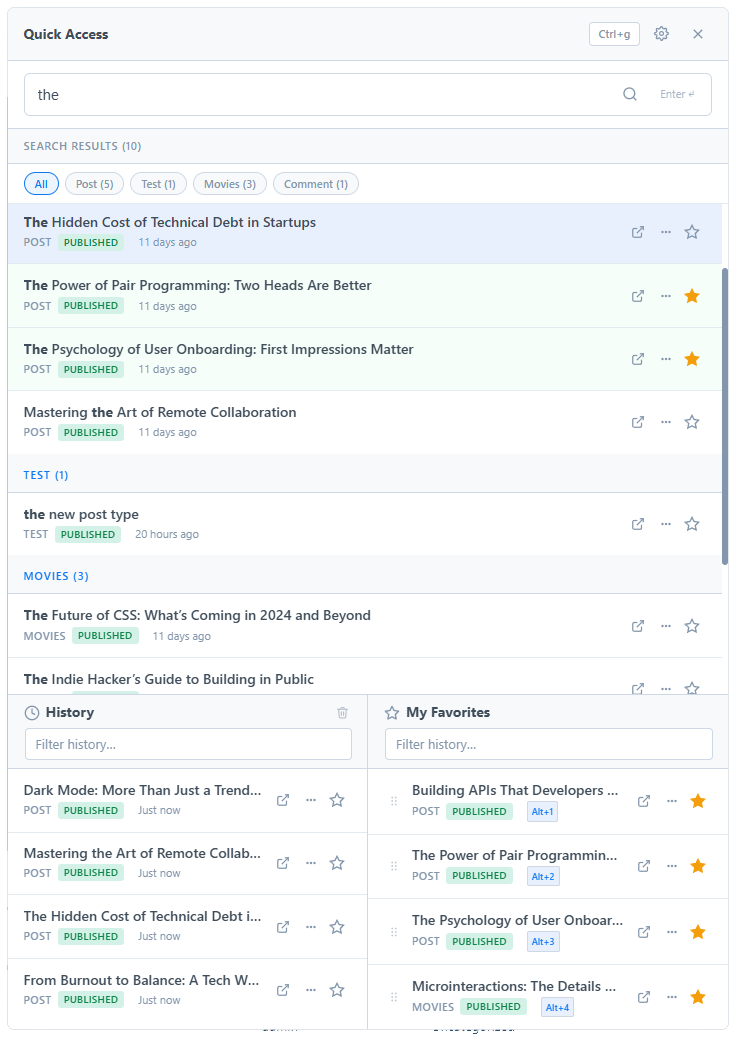
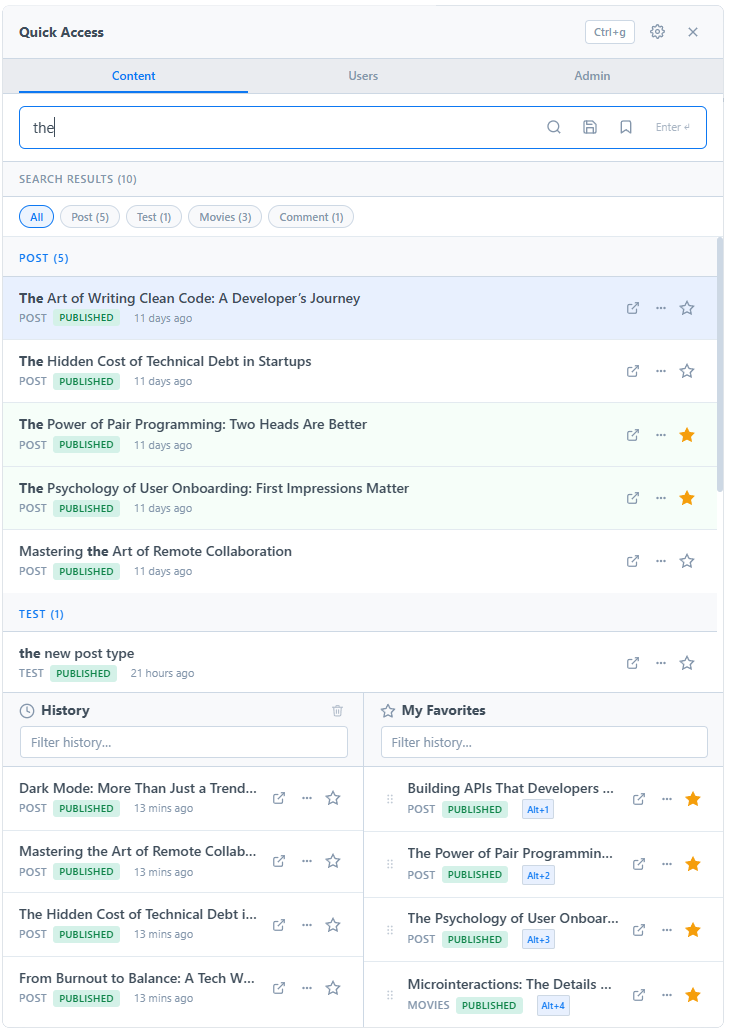
Full-text search across posts, pages, custom post types, and more. Results appear as you type with 300 ms debounce and AbortController to prevent stale results.
Open with Ctrl+G (or Cmd+G on Mac). Arrow keys to navigate. Enter to open. Ctrl+Enter to open in a new tab. Never reach for the mouse.
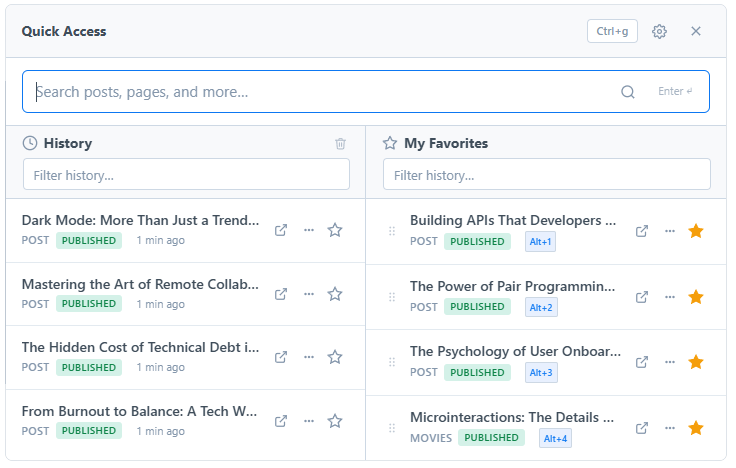
Star any post, page, or user from the palette. Jump to your first 9 favorites from anywhere using Alt+1 through Alt+9 — even when the palette is closed.
Every item you visit gets logged in your personal history panel. Pick up exactly where you left off without retyping any search.
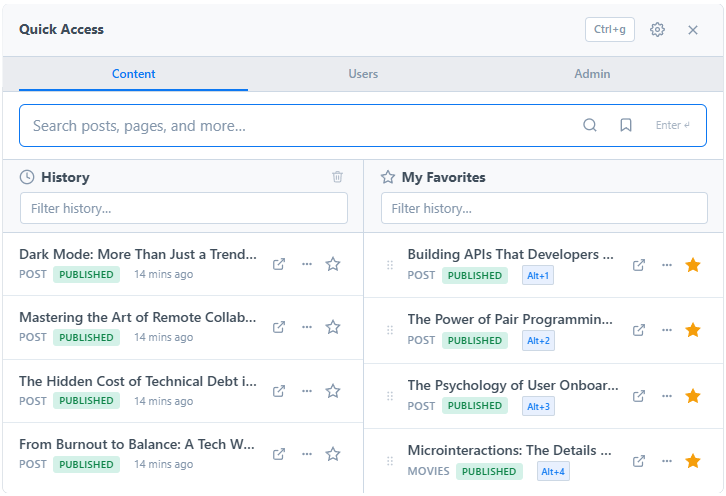
Switch between Content, Users, and Admin search tabs. Use prefixes u: and a: to jump directly to a tab without clicking.
Create named presets for complex queries — e.g. "Draft posts updated this week" — and run them with a single click. Reorder with drag & drop.
Light, dark, or system-auto. Admin can enforce a theme site-wide; when set to Auto, each user can choose from the in-palette preferences menu.
Download your favorites and saved searches as JSON. Import them on a new site or after a fresh install. Merge or replace mode supported.
See your starred favorites right on the WordPress dashboard, with one-click access and Alt+1–9 keyboard shortcuts displayed next to each item.
Screenshots
A visual tour of the palette in real WordPress admin use.
Installation
No configuration required to start searching. Sensible defaults out of the box.
Go to Plugins → Add New, search for WP Quick Palette, then click Install and Activate.
Or upload the .zip via Plugins → Add New → Upload Plugin
Press Ctrl+G (Windows / Linux) or Cmd+G (Mac) from any admin page.
Type at least 2 characters to search posts, pages, and users. No further setup needed.
Requires WordPress 5.8+ and PHP 7.4+. Compatible with all major themes and page builders.
Keyboard Shortcuts
Every action accessible without touching the mouse.
| Shortcut | Action |
|---|---|
| Ctrl+G / Cmd+G | Open or close the palette |
| ↑ / ↓ | Navigate through results |
| Enter | Open selected item |
| Ctrl+Enter / Cmd+Enter | Open selected item in a new tab |
| Escape | Close the palette |
| Alt+1 – Alt+9 | Jump to favorite #1–9 (works even when palette is closed) |
| u: prefix Pro | Switch to the Users search tab |
| a: prefix Pro | Switch to the Admin menu search tab |
Lite & Pro
The Lite version covers the daily essentials. Pro adds power-user features for heavier WordPress workflows.
Available on WordPress.org. No account required.
Everything in Lite, plus advanced search and workflow features.
 WP Quick Palette